
Drug Testing Information

You have successfully completed your registration in the app and can now begin the process of completing your drug test. 

Please scroll down to view detailed steps on how to complete the drug test, see frequently asked questions from other drivers, or request assistance from our support team.

The Steps to Complete your Drug Test


  1. Click here the open the page where you can find available testing sites in your zip code
  2. Type in your zip code on the page and the mile radius you’d like to search within that zip code. Hit ‘Search’ and you’ll now see all available testing sites within that zip code and mile radius.
  3. Use the address given to try a walk-in appointment, or use the phone number listed to make an appointment.
  4. When you arrive at the site, you’ll need to give your Registration Number. This can be found in the email sent to you from Protection Plus Solutions.
  5. The test results will be automatically sent to us and we’ll update your profile once we receive them. They typically come back in 1-2 business days after the test has been completed.

Have you completed your drug test?

Click the button below to submit your Chain of Custody form and help expedite your results.

Need Assistance? 

If you have any questions or need support, please click the button below and submit a help ticket that goes directly to our support team!

Frequently Asked Questions

How do I find my registration number?
Your registration number can be found in the email that is sent to you from Protection Plus Solutions. If you cannot locate it, please click the Request Assistance button above.

Who is Protection Plus Solutions?
Protection Plus Solutions is the company we partner with to simplify the drug testing process. 

How do I find a testing site near me?
You can use the following link to enter your zip code and mile radius to see available testing sites in your area: CLICK HERE TO FIND NEARBY LOCATIONS

Why is there a Danville, CA address on the Protection Plus Solutions email that was sent to me?
Please disregard the address at the top of the email. That’s simply the location of Protection Plus Solutions in Danville, CA.

How long do results take to come back?
Results are sent directly to Relay within 1–2 business days. Please note that weekends may extend this timeframe.

When does my registration code expire?
The registration code typically expires 10 full days after it has been generated. If your code expires and your Vetted membership is still active, you can use the Request Assistance button above to request a new code at no charge.

How will Relay get my drug test results?
The results will be sent to us directly. Once we receive them, your account will be updated accordingly. 

What do I need to do once I arrive at the testing site?
You will need to give them your Registration Number and your ID. From there, the testing site will know what to do. 

I got a text and email from Relay saying I can proceed with the drug testing, but never received an email from Protection Plus Solutions. What do I do?
The Relay Support Team double checks every drug test order to make sure it gets sent out correctly. If you have not received the email from Protection Plus Solution yet, that means that it may still be in processing and on its way to your email inbox. 

We recommend waiting one business day to see if the email arrives. If it doesn’t, please click the Request Assistance button above to contact our support team.
If you have a question about Relay or how it works, we'd love to help.

62462456 0 team photo blue shir

Click on the chat icon at the bottom to live chat with a member from our carrier success team. Chat hours are M-F 6AM-6PM PST

We can't wait to show you how easy it is to use Relay On Demand to get drivers for your trucks.

62462456 0 team photo blue shir

Elite drivers at the right cost that works for you!

One simple low cost membership

You can use your 15-day free trial to join and start booking/dispatching drivers right away! To unlock the full power of the Relay network you need a monthly membership.  Complete the form at the bottom of this page to see more details about our pricing plans.

Once a member, you set the rate to pay drivers

When you create a run or shift, the Relay app will show you a market rate that other carriers are paying for a similar run to help you set a rate. Our smart algorithms help you always secure drivers at the lowest rates possible. Set your own rate either hourly, per mile, or on a per trip/shift basis. 

Are there any additional fees?

Credit Card Payment Processing Fee

There is a 3.5% charge when using a credit card to pay drivers who drive for you through Relay.

Whenever you create/schedule a run you’ll see the driver cost and fees upfront everytime.

Spend ZERO time managing drivers on the Relay Network

Relay takes away the hassle of trying to manage a fleet of drivers and stay compliant.

Insurance

Relay provides optional coverage the first time you use a driver. Once a driver becomes a repeat driver by doing multiple shifts or runs then you easily add them to your policy by downloading the driver DQF  file right from the app.

Driver Payments

You set the pay rate and Relay takes care of paying the driver for you. There is no need for you to manage payroll, taxes, etc. We charge your card at the end of each run and pay the driver.

DOT Compliance

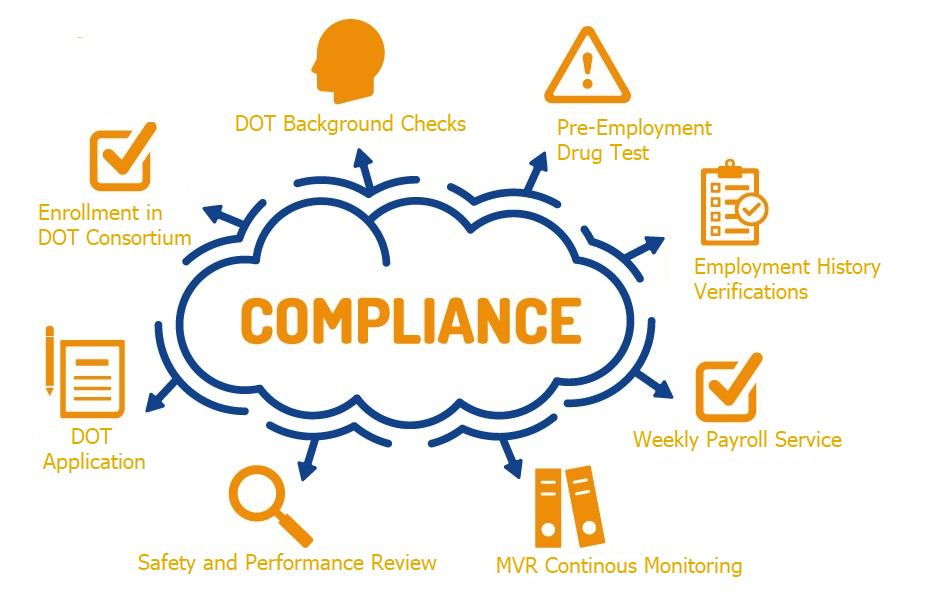
Relay handles the DOT compliance like drug testing and consortiums, MVR checks and monitoring, Employment history, and more.

56256852 0 Untitled444

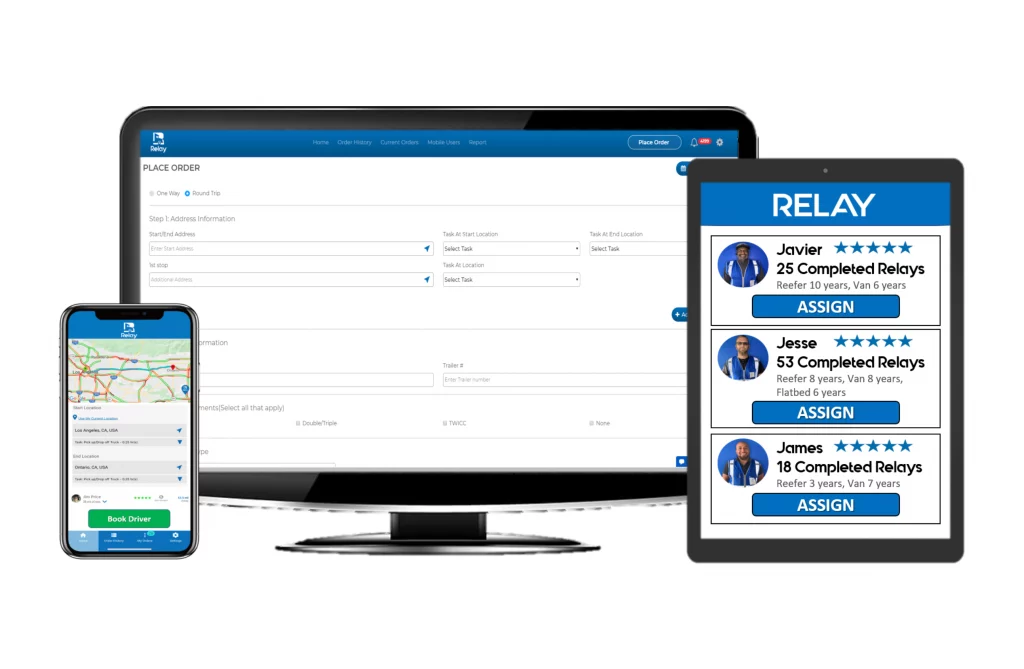
Our easy to use web portal and mobile app puts the power of your Relay driver fleet in the palm of your hands.

51939522 0 Screen Shot 2020 07

Step 1 – Schedule

Whenever you need a driver, simply log in and create a run with the stop-off details or create a shift for how long you need a driver for. 

Step 2 – Dispatch

You can choose a driver or have your run/shift automatically sent out to all available drivers on the network through the Relay app who then accept your run and dispatch. Once they accept it you’re able to fully communicate with the driver as needed. You provide the load, truck, and fuel when the driver shows up.

Step 3 – Track

 Once a run has started you can track the progress right from your app. You get pictures of the pre-trips, instant uploads of BOLs, and notifications in real time when the driver completes each stop.

Repeat and build lasting driver relationships

After each run, you can rate the driver and add him to your “Preferred” Network where you can add him to your fleet and re-dispatch work directly to him going forward.

56257397 0 Drivershare

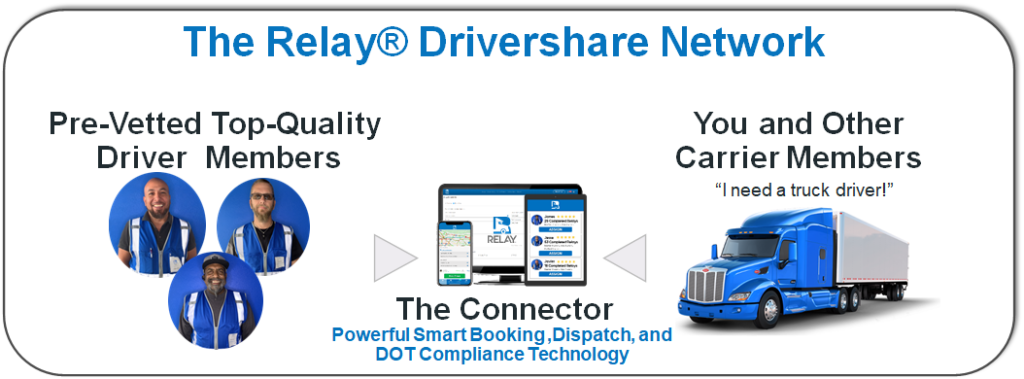
No, it’s way better. Relay is the first of its kind Drivershare Network where carriers like you share a pool of pre-vetted drivers you can dispatch whenever you need (full-time or part time). All the drivers on the network belong to you and the other carrier members. Relay pre-vetts and certifies all drivers on the network and provides the technology with support to make it all happen. Whether you need drivers permanently or just to fill in, we guarantee every carrier has multiple drivers available for every truck they want to run on the network.

It’s like having a mega fleet of drivers at your fingertips without the costs and hassle of recruiting and managing them!